Compare › Descript
Hilite vs Descript
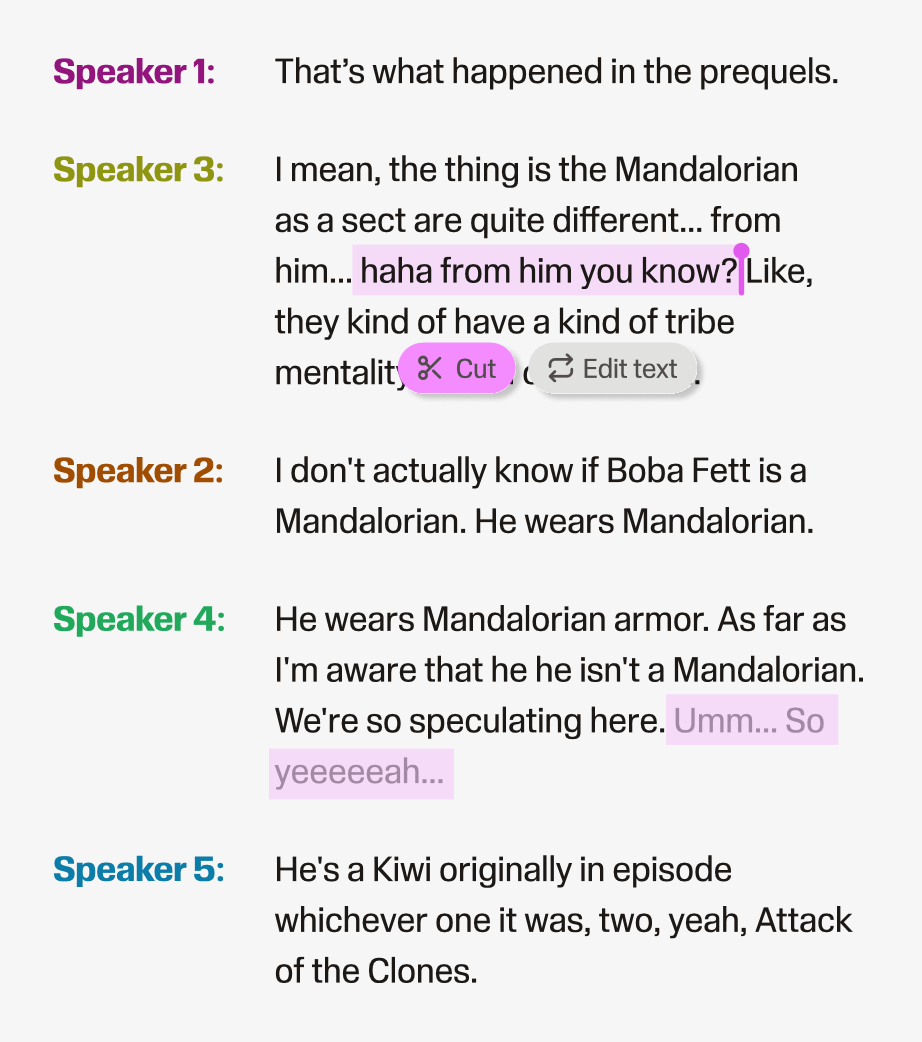
Descript is a powerful tool built for professional editors. Hilite is built for creators who want to record, edit, and publish without becoming one.
Compare › Descript
Descript is a powerful tool built for professional editors. Hilite is built for creators who want to record, edit, and publish without becoming one.
Key differences
Descript is a full production workspace with timelines, multi-track editing, and video support. Hilite strips that complexity away so you can focus on your ideas, not the interface.
Descript handles editing well but relies on separate tools for hosting and distribution. Hilite covers the full journey: record, edit, enhance, generate content, publish, and share, all in one place.
Descript's recent shift to media minutes and AI credit top-ups means costs can creep up as you create more. Hilite keeps pricing straightforward so you can publish consistently without watching a meter.
Feature by feature
| Feature |  Hilite Hilite | Descript |
|---|---|---|
| Text-based audio editing | Core feature. Edit your episode by editing the transcript. | Core feature, but embedded in a larger video/production workspace. |
| AI audio enhancement | Studio Sound. One click transforms raw recordings to studio quality. | Studio Sound available on paid plans; metered by AI credits. |
| In-browser recording | Record directly in the browser, no download required. | Available, primarily optimised for remote video recording. |
| One-click publishing | Distribute to Spotify, Apple Podcasts, and more in one step. | Publishing requires additional setup; hosting is not built in. |
| AI show notes and transcripts | Auto-generated titles, descriptions, show notes, and transcripts. | Available, counted against media minutes on most plans. |
| Video editing | Audio-first. Hilite is purpose-built for podcast creators. | Full video editing is a core part of the Descript product. |
| Pricing transparency | Free, Pro ($19/mo), Business ($49/mo). No usage meters. | Plans from $16/mo (annual), but AI features metered by credits. |
Descript is genuinely impressive software. It pioneered text-based editing and has a loyal following among video creators and professional podcast producers. But that breadth is also its friction. If you're a coach, consultant, or thought leader who wants to record an episode and get it out into the world, Descript's workspace can feel like arriving at a recording studio when you just needed a quiet room. Hilite is designed for the creator who has something to say and wants the tool to stay out of the way.
Start creating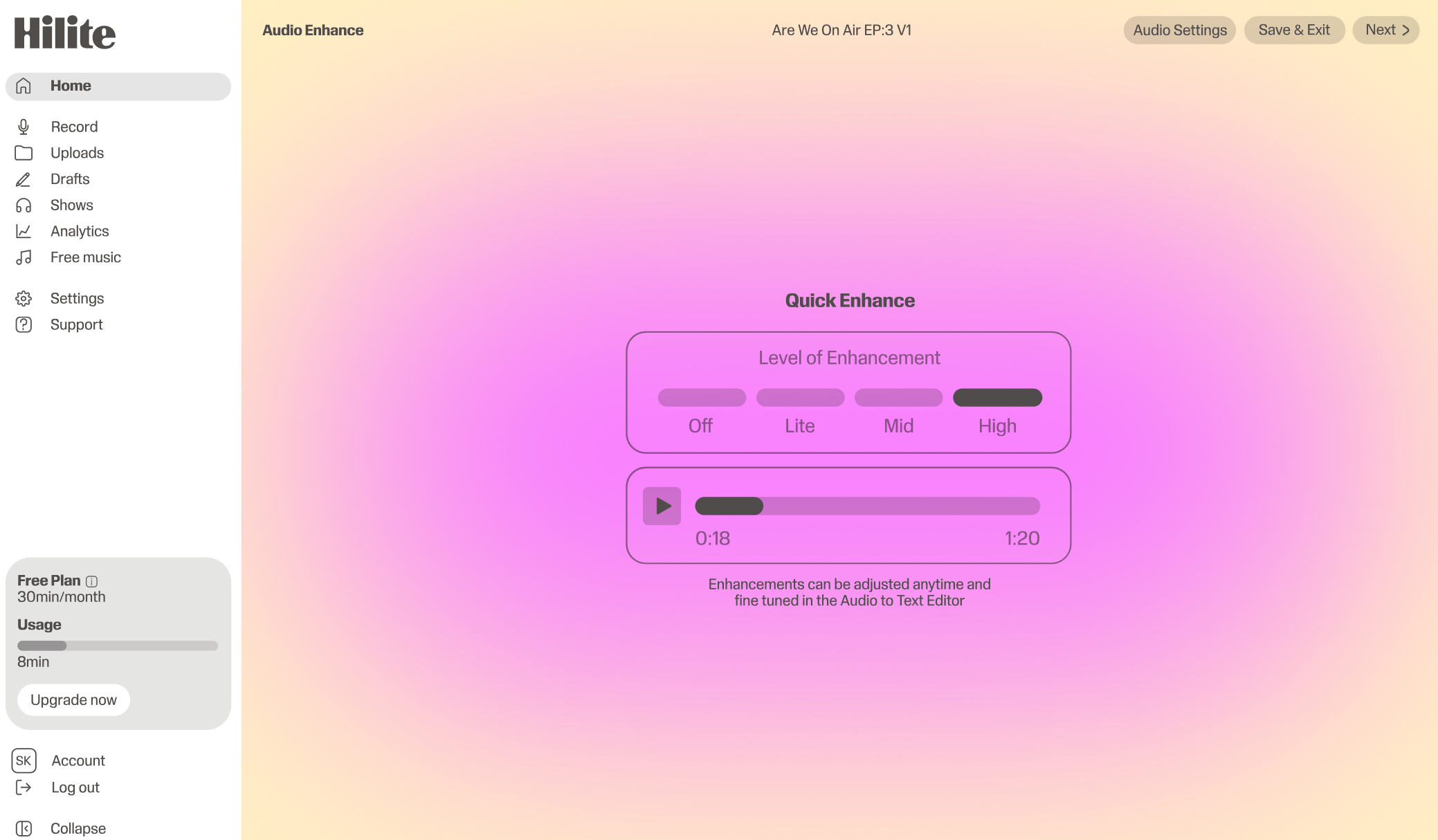
“The best tool is the one that removes friction every single week, not the one with the longest feature list.”What our creators say, consistently
FAQ
For many creators, yes. If you're a podcaster who wants to record, edit, and publish without learning a full production workspace, Hilite covers everything in one simpler flow. If you produce video content or need multi-track studio editing, Descript may still be the right fit.
No. Descript handles editing and transcription but you'll need a separate hosting platform to distribute your podcast to Spotify, Apple Podcasts, and other directories. Hilite includes hosting and one-click distribution as part of the same workflow.
Both tools offer AI-powered audio cleanup. Hilite's enhancement is included across plans with no credit metering. Descript's Studio Sound is available on paid plans and is counted against AI credits, which can add up if you're publishing regularly.
Yes. You can upload existing audio files directly into Hilite and start editing from the transcript. There's no need to re-record anything.