Cut mistakes as easily as deleting text
Hilite connects words to the underlying audio, helping spoken-word creators make accurate edits without learning a traditional audio workstation.
Turn raw spoken audio into a polished episode with transcript editing, automatic cleanup, faster pacing decisions, show notes, and publishing in one workflow.

See it in action
Three screens from the Hilite app you'll spend most of your time in.
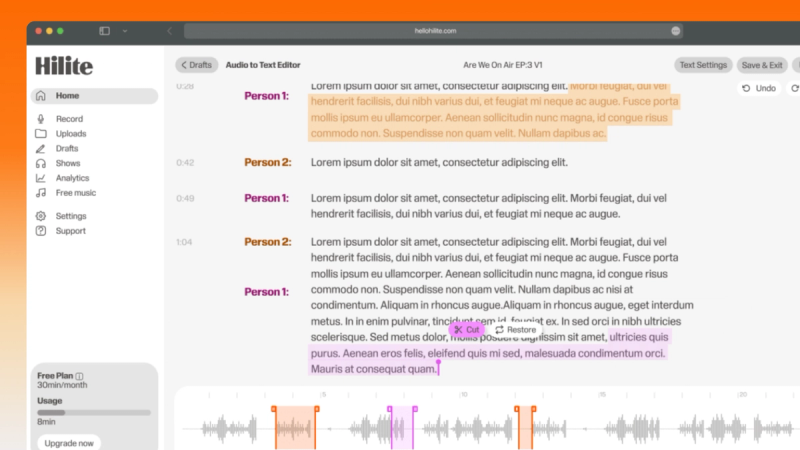
Search the transcript, remove mistakes and tighten sections without hunting through a waveform.
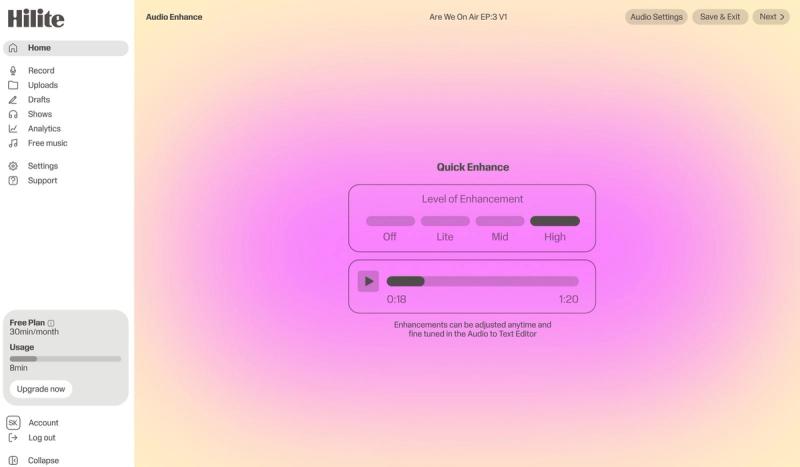
Reduce distracting noise, balance spoken audio and prepare the episode for comfortable listening.
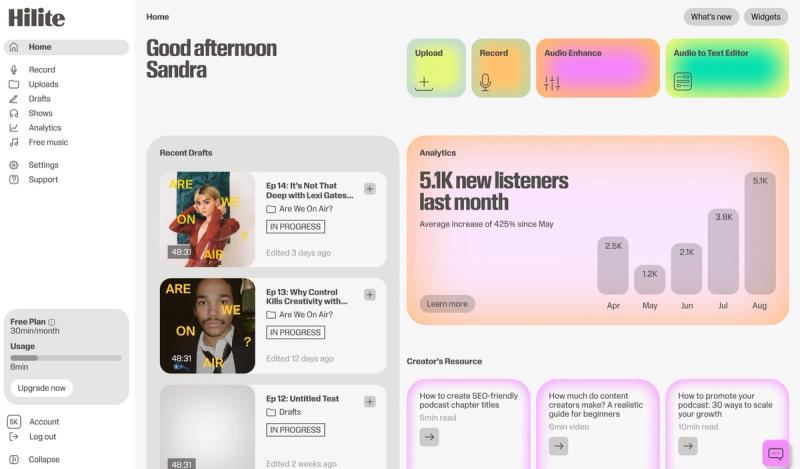
Generate episode content, review the details and publish without rebuilding the workflow in another tool.
The problem
How it works
Hilite connects words to the underlying audio, helping spoken-word creators make accurate edits without learning a traditional audio workstation.
Improve clarity and consistency across podcasts, interviews, lessons and voiceovers while preserving the character of the speaker.
Use the transcript to prepare titles, descriptions and show notes, then move into the publishing workflow from the same project.
FAQ
If your question is not here, the support team replies within one business day.