Open the episode transcript
Hilite connects the transcript to the recording so every sentence leads to the right moment.
Podcast editing is slow when you're fighting the tools. Hilite is the audio editor built specifically for podcast production: AI handles the noise, the filler words, and the levels, so you can stay focused on what you're trying to say.

See it in action
Three screens from the Hilite app you'll spend most of your time in.
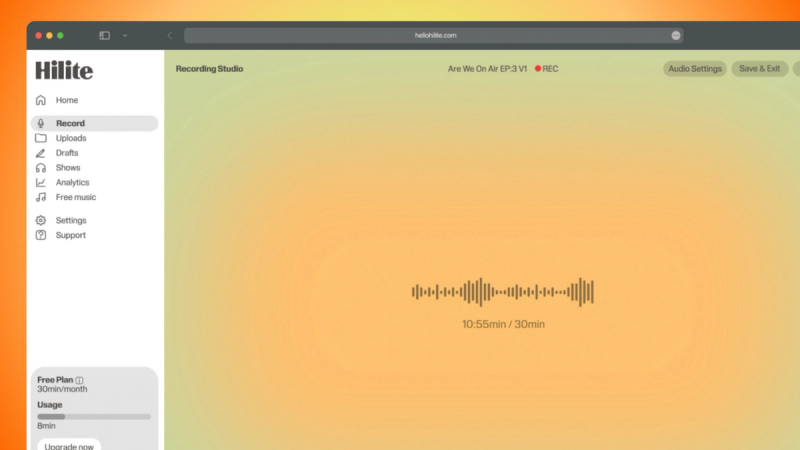
Record yourself or remote guests without installing another tool.
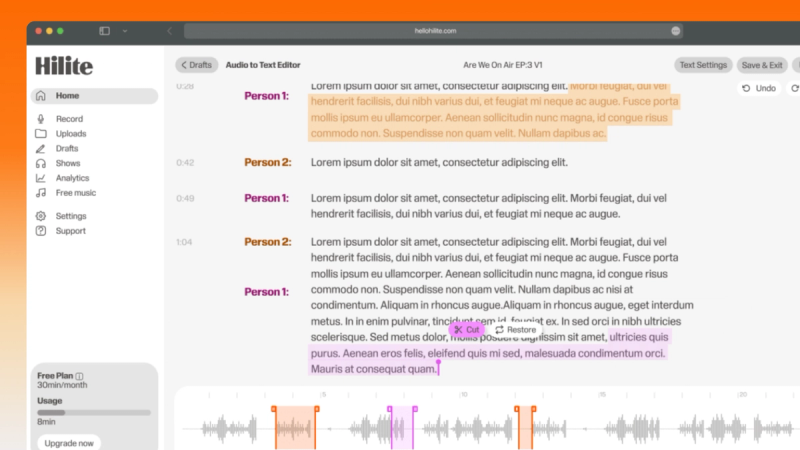
Find the exact words, remove mistakes, and tighten the story without scrubbing a timeline.
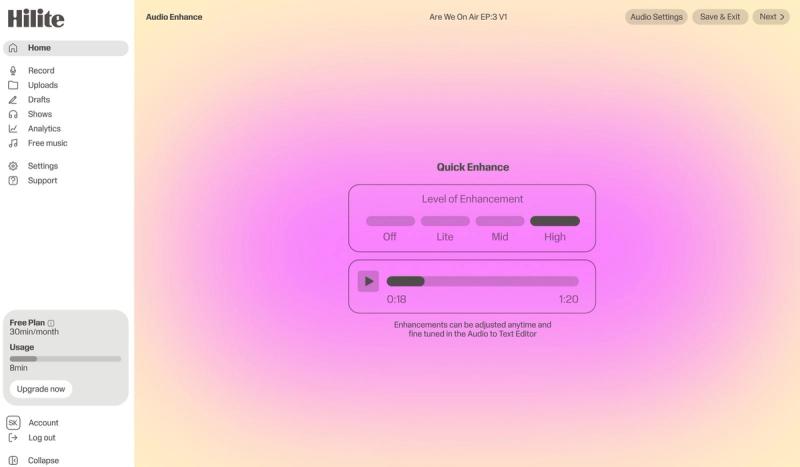
Improve clarity, check the finished audio, and move it toward publishing from the same workflow.
The problem
How it works
Hilite connects the transcript to the recording so every sentence leads to the right moment.
Cut false starts, repeated answers, filler words, and dead air while preserving the conversation.
Check clarity and levels, generate publishing copy, and move the finished episode toward distribution.
FAQ
If your question is not here, the support team replies within one business day.