How much does it cost to start a podcast in 2026?
You can launch a podcast for nothing or spend thousands before you record a word. The real question isn't the price tag, it's what you're actually paying for. Here's the honest breakdown.
You can start a podcast for nothing, or you can spend five thousand dollars before you say a single word. Both are true, and that gap is exactly why the question stops so many people before they begin. The honest answer is that most first-time creators land somewhere between $100 and $500 to start, then grow their setup as the show grows. Cost is rarely the real barrier here. The friction of figuring it all out is, and that's the part worth solving first.
The short answer, by budget
Here's the quick version before the detail. Pick the row that matches where you are, not where you think you should be.
- Free ($0): your phone or laptop mic, free editing software, and free hosting. Best for testing an idea fast.
- Lean ($100 to $500): a USB microphone and a few accessories on top of free software. Best for most first-time creators.
- Mid ($500 to $1,500): a better mic, an audio interface, and a paid hosting or all-in-one plan. Best for committed weekly shows.
- Professional ($1,500 to $5,000 and up): a treated space, pro gear, and outsourced production. Best for brands and revenue-focused shows.
What actually drives the cost
Two podcasts can both sound great and cost wildly different amounts. The spread comes down to a handful of choices, and most of them are yours to dial up or down over time.
- Equipment quality: a phone mic versus a studio condenser.
- Software choices: free editors versus paid or all-in-one platforms.
- Publishing frequency: weekly shows burn through editing time faster.
- Marketing spend: organic and free, or paid ads and outreach.
- Do it yourself or pay someone: your time is the real currency early on.
Cost by budget level
Free ($0)
Everything you need to publish already exists for free if you're willing to trade polish for speed.
- Mic: your smartphone or laptop's built-in mic.
- Editing: Audacity or GarageBand, both free.
- Hosting: Spotify for Creators, free and unlimited.
- Art: Canva's free tier.
- Year 1 total: $0.
Best for: validating your concept and getting a few real episodes out before you spend anything.
Lean ($100 to $500)
The single highest-impact upgrade you can make is a real microphone, and this tier is built around exactly that.
- Mic: a USB mic like the Samson Q2U or Audio-Technica ATR2100x, roughly $70 to $100.
- Accessories: pop filter, small boom arm, and headphones, around $50 to $120.
- Software and hosting: free tools, or a low-cost host around $15 a month.
- Year 1 total: roughly $150 to $500.
Best for: most beginners who want clean audio without overthinking the gear.
Mid ($500 to $1,500)
This is where the setup starts to feel like a studio, with room to record interviews and run a consistent schedule.
- Mic and interface: an XLR mic plus an interface like the Focusrite Scarlett Solo, around $250 to $500 together.
- Software: a paid editor or an all-in-one platform, $15 to $35 a month.
- Hosting: a paid plan with solid analytics, $15 to $20 a month.
- Year 1 total: roughly $700 to $1,500.
Best for: committed weekly shows ready to invest in sound and a smoother workflow.
Professional ($1,500 to $5,000 and up)
At this level you're paying to remove your own time from the equation and to control the room itself.
- Gear: high-end mics, mixer, and a camera if you're going to video, $1,000 to $3,000 and up.
- Space: acoustic treatment or a portable booth, $200 to $1,000.
- Services: outsourced editing and show notes, $150 to $500 an episode.
- Year 1 total: $3,000 to $10,000 and up.
Best for: established brands, agencies, and shows with real revenue to reinvest.
Equipment costs
Equipment is the biggest upfront line item, but it's also the one most people overspend on. Buy for the show you have now, not the one you hope to have in a year.
Microphones
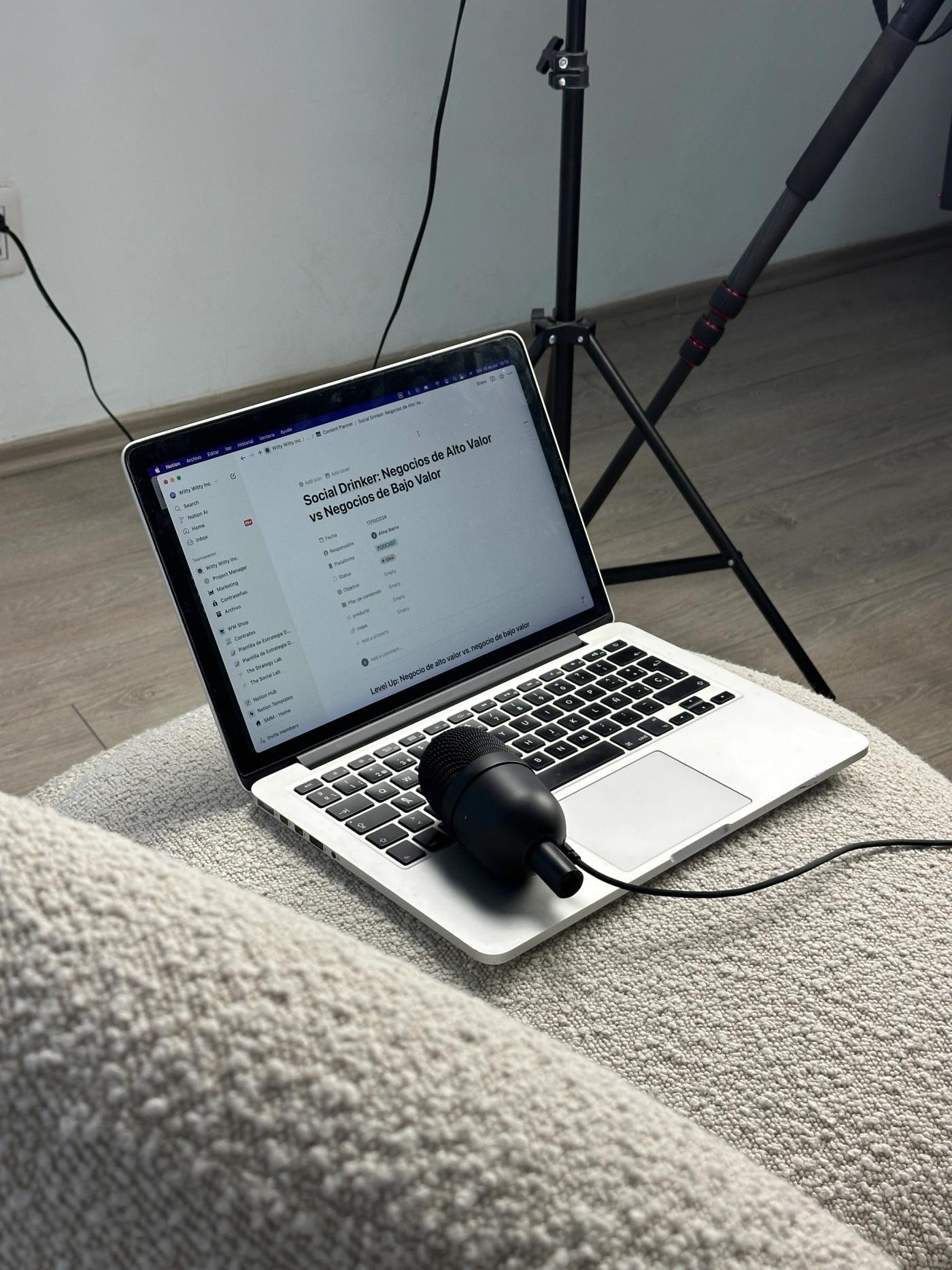
Your mic does more for listener retention than any other piece of gear, so this is the place to spend first. The main decision is USB versus XLR.
- USB ($50 to $180): plugs straight into your computer, no extra gear, ideal for solo creators and beginners. Limited room to expand.
- XLR ($100 to $700+): needs an interface or mixer, scales to multi-mic setups, and gives you more control. More to learn and more to buy.
Popular starting points include the Samson Q2U and Audio-Technica ATR2100x, both of which happen to offer USB and XLR in one body, so you can grow without rebuying.
Headphones
Closed-back headphones let you catch problems while you record instead of after.
- Budget ($20 to $50): Sony MDR-7506 alternatives and similar.
- Mid to pro ($80 to $200): Audio-Technica ATH-M50x and comparable studio cans.
Audio interfaces and mixers
You only need these once you move to XLR mics.
- Interfaces ($100 to $300): the Focusrite Scarlett line is the common first pick.
- Mixers ($150 to $700): useful for live, multi-mic, or sound-effect-heavy shows.
Cameras for video
Video is optional, so treat it as a strategy choice rather than a default cost.
- Free to $100: your webcam or phone, fine for testing demand.
- $200 to $500: a budget mirrorless or quality webcam plus a light.
- $1,000 and up: full video setup for shows committed to YouTube and social.
Accessories
Small items, real difference in sound.
- Pop filter ($10 to $30): tames hard consonants.
- Boom arm or stand ($20 to $100): keeps the mic steady and off the desk.
- Acoustic panels ($50 to $300): treat the room before you blame the mic.
Software costs
Software covers three jobs: recording, editing, and getting the finished episode published. You can pay for each separately, or use one platform that does all of it.
Recording and editing tools
The free end of this market is genuinely good, and plenty of successful shows never leave it.
- Audacity (free, Windows and Mac): capable, no-frills audio editing.
- GarageBand (free, Mac): friendly and surprisingly powerful.
- Adobe Audition (around $23 a month): pro-grade, part of Creative Cloud.
- Logic Pro (around $200 once, Mac): a one-time pro option with no subscription.
All-in-one platforms
These combine recording, editing, and publishing so you're not exporting files between five tools. Listed alphabetically, since the right one depends on your workflow, not a ranking.
- Descript (free, paid from about $16 a month annually): text-based editing for audio and video, strong for teams. Pricing meters by transcription hours, and it leans toward power users.
- Hilite (free plan; Pro $19 a month, $13 billed annually; Business $49 a month, $34 billed annually): an all-in-one platform where you record, edit, enhance, generate content, publish, share, and track analytics in the browser. Recording is built into the workflow, not bolted on.
- Riverside (free, paid from about $19 a month): video-first remote recording with high-quality local capture, best when interviews and video matter most.
A closer honest look at where Hilite fits, since it's our platform.
What we like:
the full flow lives in one place, so a raw recording becomes a published episode without handoffs. AI audio enhancement cleans up imperfect recordings, and it generates titles, descriptions, show notes, and transcripts for you. The snippet tool turns moments into shareable clips, and analytics show you what's landing.
Where it falls short:
Hilite is audio-only for now, so video-first creators are better served elsewhere. It's web-based rather than a desktop or mobile app, and the free plan has limits you'll outgrow as you publish more. It's a creation and publishing platform, not a hosting-only service or a standalone pro editor.
Hosting and distribution costs
Hosting is what stores your audio and generates the RSS feed that pushes your show to Apple Podcasts, Spotify, and the rest. It's different from a website, and it ranges from free to about $99 a month.
- Spotify for Creators (free): unlimited hosting and distribution, formerly Anchor, now Spotify-first for analytics and monetization.
- Buzzsprout (free trial, paid from $19 a month): clean interface, trusted analytics, and easy onboarding. The free tier deletes episodes after 90 days.
- Podbean (from about $14 a month): unlimited uploads and built-in monetization.
- Transistor (from about $19 a month): multiple shows on one account, good for teams.
- Captivate and Libsyn (roughly $15 to $90 a month): growth tools and long-standing reliability.
Most beginners do well on a $15 to $20 plan, or a free host while they find their footing.
Marketing and promotion costs
Great episodes still need to be found. The good news is that the most effective early marketing is mostly free.
- Essential (free to $200): cover art in Canva, social profiles, a simple landing page, and an email list on a free tier.
- Growth ($200 to $1,000 a month): paid social ads, a custom site, short video clips, and SEO show notes.
- Outsourced ($500 to $2,000+ a month): a social manager, a designer, or a PR specialist once revenue justifies it.
Start lean and organic. Guesting on other shows and showing up in niche communities costs nothing and often outperforms paid ads early on.
Other costs people forget
These rarely make the headline budget, but they add up, so plan for them.
- Music and sound effects: free libraries exist, or $15 to $49 a month for licensed subscriptions like Epidemic Sound or Artlist.
- Guests: outreach is free; matching platforms run $15 to $99 a month, and travel for high-value guests can be much more.
- Studio and treatment: room treatment kits from $200 to $500, or studio rental at $25 to $100 an hour.
- Professional services: editing at $50 to $300 an episode, show notes at $30 to $150.
- Business and legal: optional LLC setup, insurance, and music licensing, ranging from a few hundred to a couple thousand a year.
Can a podcast actually make money?
Yes, but rarely fast. Most shows take 12 to 24 months of consistent publishing before the money becomes meaningful, and profitability depends on audience size, niche, and how many ways you monetize.
- Ads and sponsorships: typical CPM of $15 to $50 per thousand downloads, usually once you pass 1,000 downloads an episode.
- Memberships: Patreon and similar tiers at $3 to $50 a month, with 1 to 5 percent of listeners converting.
- Products and services: courses, consulting, and events often out-earn ads for expert-led shows.
A rough sense of scale: 1,000 downloads an episode might mean $200 to $500 a month, while 10,000 downloads can mean $3,000 to $8,000 across multiple streams. The shows that get there are the ones that kept publishing.
How to decide where your money goes
If you only remember one rule, make it this: spend on the microphone first, and let everything else wait. Clean audio is what keeps people listening, and it's cheaper to fix than most beginners expect.
From there, the smart money question isn't "what's the cheapest tool" but "where am I most likely to quit." Every handoff between recording, editing, enhancing, and publishing is a moment where a half-finished episode gets abandoned. The editor was never really the friction. The gaps between tools were.
That's the case for a connected workflow over a pile of separate subscriptions. If saving time and finishing matter more to you than squeezing the last drop of editing power, look for a setup that handles recording, cleanup, content, and publishing in one place. A clean audio file isn't a finished podcast, and the distance between the two is where most shows die. Whatever you choose, choose the path you'll actually finish.
FAQ
Can you really start a podcast for free?
Yes. A phone or laptop mic, free editing in Audacity or GarageBand, free hosting on Spotify for Creators, and free art in Canva will get a real episode published at no cost. The trade-off is audio quality and fewer features, but it's a legitimate way to test your idea before spending.
What's the cheapest setup that still sounds good?
About $100. Put $70 to $100 toward a USB mic like the Samson Q2U or Audio-Technica ATR2100x, then keep using free editing and free hosting. That single upgrade closes most of the quality gap between a hobby recording and something people will stay subscribed to.
How much does podcast hosting cost?
From free to roughly $99 a month. Spotify for Creators is free and unlimited, while paid hosts like Buzzsprout, Podbean, and Transistor start around $14 to $19 a month and add better analytics, reliable distribution, and storage. Most beginners are well served at $15 to $20 a month.
Do I need a camera?
No. Audio-only podcasting is fully valid and often preferred by listeners who tune in during commutes or workouts. Add video only if your audience is on YouTube or social, and start with your phone or webcam before investing in a real camera setup.
Should I edit it myself or hire someone?
Edit yourself at first. DIY editing saves $50 to $300 an episode and gets much faster with practice, and free tutorials cover everything you need. Outsource once your time is worth more than the cost, or once revenue makes it an easy call.
What are the ongoing monthly costs?
Plan for $20 to $100 a month for a typical show. That usually covers hosting, a music subscription, and a content or editing tool. Costs climb only if you outsource editing or run paid marketing, so scale those as your audience grows.
How long before a podcast makes money?
Most shows take 12 to 24 months of consistent publishing. Revenue tends to start small with affiliates and memberships, then grow into sponsorships once you pass 1,000 downloads an episode. Consistency matters more than any single monetization tactic.
Where do beginners waste money?
Usually on gear they don't need yet and tools they don't use. A premium mixer, a video rig before there's a video audience, and overlapping software subscriptions are the common culprits. Spend on the mic, lean on free tools, and upgrade only when you hit a real limit.
The bottom line
Starting a podcast costs as much or as little as you let it. You can launch this week for free, or build a studio over time, and neither path is more legitimate than the other. What matters is that the cost of tools never becomes the reason your voice stays unheard.
Your story can't tell itself. Edit out the friction, and amplify the voice.
Your idea deserves a microphone.
Start your podcast free — no card required.