Compare › GarageBand
Hilite vs GarageBand
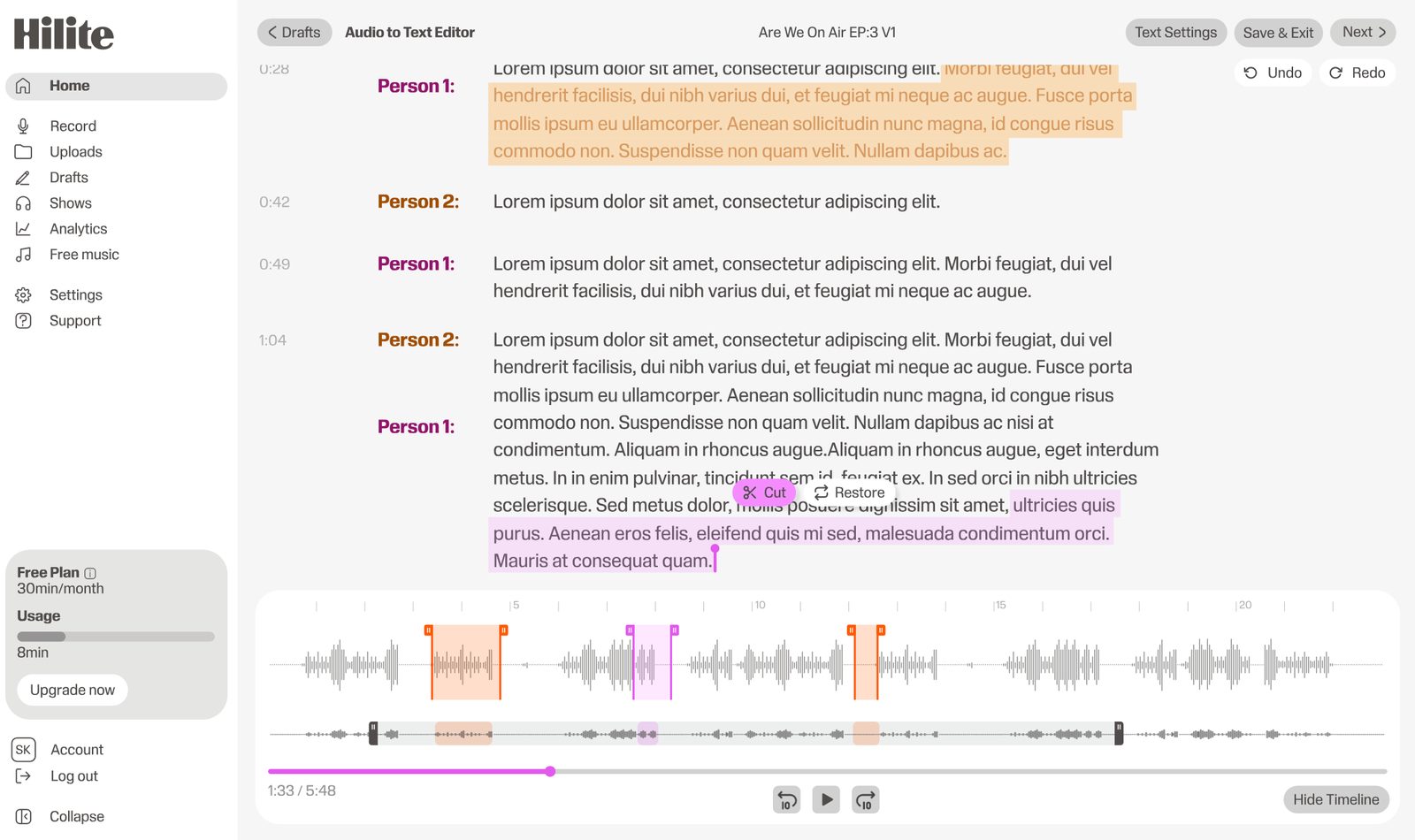
GarageBand is a free music tool that can edit podcasts. Hilite is a podcast-first workflow for creators who want to record, edit, enhance, publish, and share without adapting a DAW.
Compare › GarageBand
GarageBand is a free music tool that can edit podcasts. Hilite is a podcast-first workflow for creators who want to record, edit, enhance, publish, and share without adapting a DAW.
Key differences
Hilite guides you step by step from upload to publish. GarageBand focuses on a broader production workflow that can take longer to master.
Hilite assumes no prior audio knowledge. Most creators publish their first episode faster with a guided workflow.
Hilite takes you from raw audio to live on Spotify and Apple Podcasts without leaving the platform.
Feature by feature
| Feature |  Hilite Hilite | GarageBand |
|---|---|---|
| Text-based editing | Edit audio by editing the transcript | Varies by tool |
| AI show notes & titles | Auto-generated every episode | Available on some plans |
| Audio enhancement | One-click Studio Sound | Manual or plan-dependent |
| Podcast hosting & RSS | Built-in — all platforms | Usually requires a separate host |
| Free plan | Free plan available | Limited free tier |
If you want to record, edit, enhance, and publish without juggling multiple tools, Hilite is built for that workflow end to end.
Start creating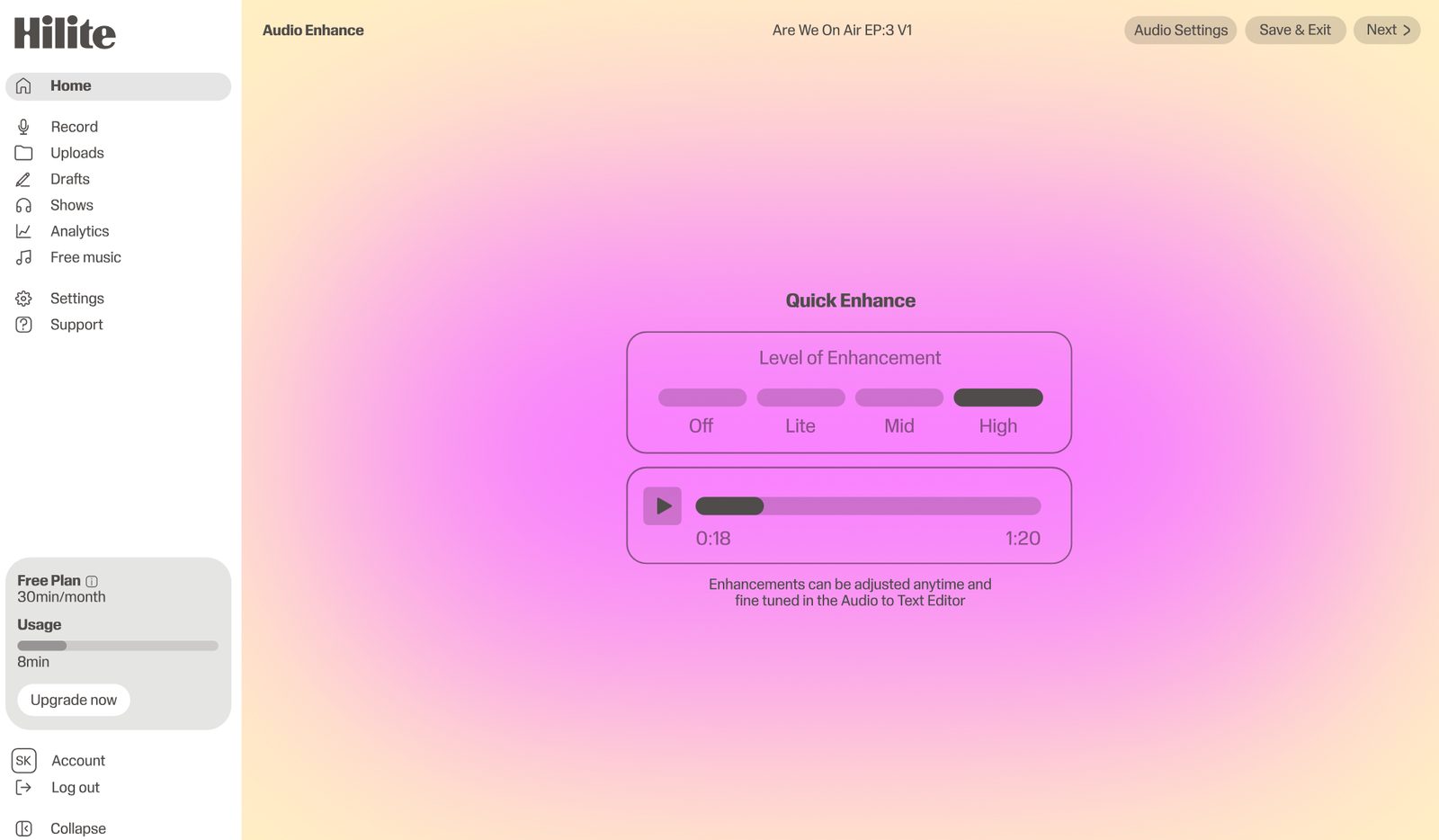
“I went from idea to published episode in one afternoon.”What our creators say, consistently
FAQ
Yes, for podcast creators who want a workflow built around recording, transcript editing, enhancement, content generation, publishing, and sharing. GarageBand is a music and audio creation tool.
Choose Hilite if you want to produce podcasts without adapting a music tool to your workflow. Hilite is designed around voice-led creation and publishing.
Choose GarageBand if you are on Mac or iOS, want a free tool, and need music creation or simple audio editing more than a full podcast workflow.
Yes. GarageBand can record and edit podcasts, especially simple solo or music-backed shows. The limitation is that transcripts, show notes, publishing, and sharing happen elsewhere.
Yes. Hilite is browser-based, so it is useful for creators who do not want their podcast workflow limited to Apple devices.
Yes. If you already record or edit in GarageBand, Hilite is a good next step when you want transcript editing, audio enhancement, episode content, publishing, and sharing in one workflow.
Edit, enhance, and publish your podcast — free, in one place.