Record a guided meditation at home
You can record a guided meditation on the phone or laptop you already own, and for a first pass you should — Voice Memos, Windows Voice Recorder and QuickTime all take a clean take with one button. What none of them help with is the part that actually decides whether the recording works: your pace, and how quiet your room really is. A meditation is mostly silence, so the noise floor is exposed in a way it never is on a podcast — the fridge, the boiler, a laptop fan under the desk, a car going past. Writing the script is a separate job; this page starts at the moment you sit down to read it. Hilite records in the browser with nothing to install, and the take lands in an editor that takes the hum out, levels the voice and gives you a transcript.
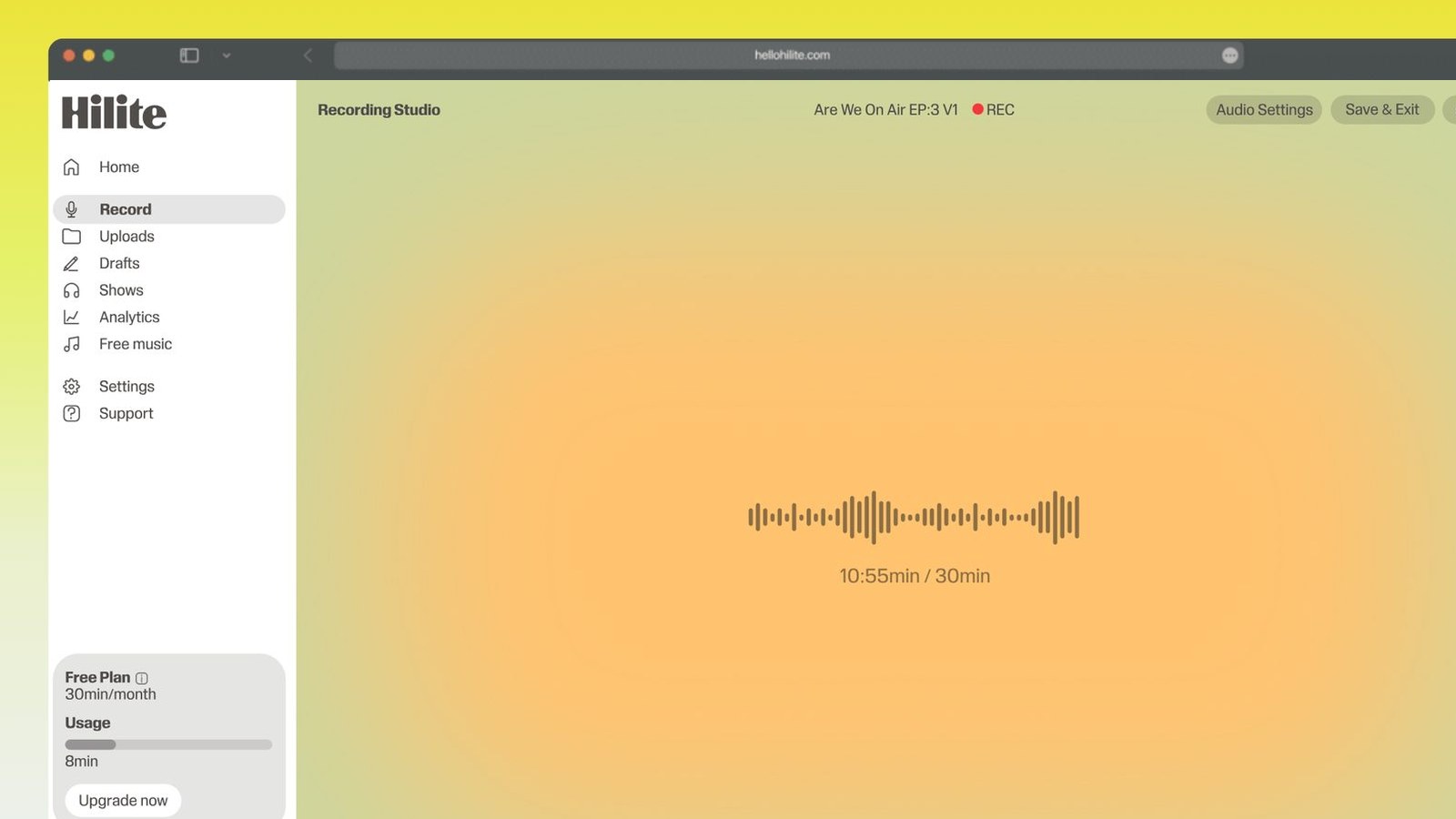
Record a guided meditation in four steps
- 1
Stand still and listen first
Before you press anything, stand in the room for thirty seconds doing nothing. You'll hear the fridge compressor, the boiler, the extractor fan, the laptop fan, traffic through single glazing. Unplug the fridge, shut the door, move the laptop off the desk and onto a chair behind you — this is the one problem that costs a minute now and half an hour later.
- 2
Sit up, mic a hand's width away
Sit rather than stand, spine upright, script at eye level so you're not reading down into your chest and squashing your own voice. Put the mic about a hand's width from your mouth and slightly off to one side, so you speak past it rather than into it and your p's don't thump. Soft room if you have one: a bedroom with a bed and curtains beats a kitchen every time.
- 3
Read it slower than feels right
Pace is the whole job. A speed that feels sluggish in the room lands about right through headphones at ten at night, so deliberately go slower than is comfortable and hold your nerve. Perform the pauses live and leave them in the take — count them out in your head if you need to. A silence you performed has a shape to it that a gap you cut in later never has.
- 4
One take, and keep rolling
Record the whole thing in one pass. When you fluff a line, don't stop — pause, breathe, and start again from the top of that sentence, then carry on. You get a clean replacement recorded in the same seat, at the same distance, in the same voice, and the bad version is a five-second cut in the editor. Then trim the ends, cut the noise floor, level it and export.

Keep working inside the Hilite editor
Your uploaded files open directly in a focused editor view. Arrange your clips, preview the timeline, adjust transitions, and export when the track sounds perfectly right.
- Record straight into the browser
- Watch levels as you speak
- Keep the take, or run it again
Input formats
Output formats
Built for every kind of audio
Whatever you are making, this tool helps you get to a cleaner, more useful result, then hand off to Hilite to enhance and polish.
- Silence shows everythingHalf of a meditation is gaps, and in a gap the fridge is the loudest thing in the track. Noise removal takes a steady hum out without hollowing the voice.
- Nothing to install firstNo download before a forty-minute read, which matters on a borrowed laptop or a locked-down machine. The take lands in an editor rather than in a folder you then have to find.
- Levelled for someone in bedPeople listen to these lying down with the lights off. Levelling keeps a near-whispered line audible without the louder lines jolting anyone awake.
- The file goes somewhereExport an mp3 for a meditation app, a podcast host or your own site, plus a transcript you can reuse for the description and captions.

Made for podcasters and their teams
Trim the dead air off the top and tail, and every recording is ready to edit, enhance, and publish.






FAQ
Common questions
If you do not see your question here, the support team replies within one business day.
- Slower than feels natural, to the point where it feels slightly wrong while you're doing it. Roughly half your conversational pace is a reasonable starting point. The reason is that you're reading in a quiet room, fully alert, hearing your own voice through your skull, while your listener is horizontal, half asleep and following you rather than leading. What feels sluggish in the room lands about right on playback. If you're not sure, record two minutes at the pace that feels sluggish, listen back with your eyes shut, and you'll almost always want it slower still.
- Leave them in. A pause you performed and a gap you cut are not the same thing, and the difference is audible. When you hold a silence live, you're still breathing, the room is still ringing very slightly, and your next line comes out of the same headspace the last one ended in. A silence you paste in afterwards is a dead splice between two unrelated moments, and it takes the listener out. Perform the pauses, count them in your head, and let the recorder run.
- Keep the recorder running. Stop talking, take a breath, hold a couple of seconds of clean silence, and pick the line up again from the start of the sentence — not from the word you tripped on. That gives you a replacement recorded in the same chair at the same mic distance with the same voice, which is the hard part of any fix, and the botched version becomes a simple cut in the editor. Stopping and restarting the whole take instead is how a twenty-minute script turns into an afternoon.
- Kill it at the source before you record, because the silences will expose whatever is left. Unplug the fridge (set a timer so you remember to plug it back in), turn off the boiler and any extractor fan, close windows, move a laptop with a spinning fan behind you or use a phone as the recorder instead. Then pick a soft room: a bedroom with a bed, curtains and a wardrobe absorbs the reflections that make a recording sound like a bathroom. Software noise removal handles a steady hum well afterwards, but it can't undo a passing motorbike and it can't undo reverb.
- Less than you think, as long as you get it close. Wired earbuds with an inline mic sitting a hand's width from your mouth will beat a laptop's built-in mic across the desk, because closeness is what keeps the room out. A cheap USB desk mic is a step up again. A phone held or clipped near your mouth is genuinely fine. What isn't fine is Bluetooth earbuds used as the input — they drop to compressed call quality — or a laptop lid mic a metre away in a hard room, which is where that hollow, distant sound comes from.
- Yes, one continuous take, with fixes handled inside it. Stitching a meditation together from separately recorded sections almost never works, because your voice drifts between sessions — pace, warmth, how close you sat, how tired you were — and the joins are obvious in a track this quiet. A single pass keeps one tone of voice from start to finish and keeps the pauses in rhythm with each other. Record the whole script, redo lines in place as you go, and let the editing be trimming rather than assembly.
- No. Record the voice dry and add the music underneath afterwards. If the bed is playing in the room, it's baked into the take forever — you can't change its volume, you can't fade it around your words, and any noise removal you run will chew at the music as well as the hum. It also makes you speak over it, which pushes your delivery louder and harder than a meditation wants. Record silence around your voice, then lay the music in the edit where you can still move it.
Get the take, not the retake
Open a tab, allow the mic, read it slower than feels right, and land the whole thing in an editor that trims, cleans and levels.